
Project
Claude Statusline Dashboard
Real-time session and usage monitoring for Claude Code
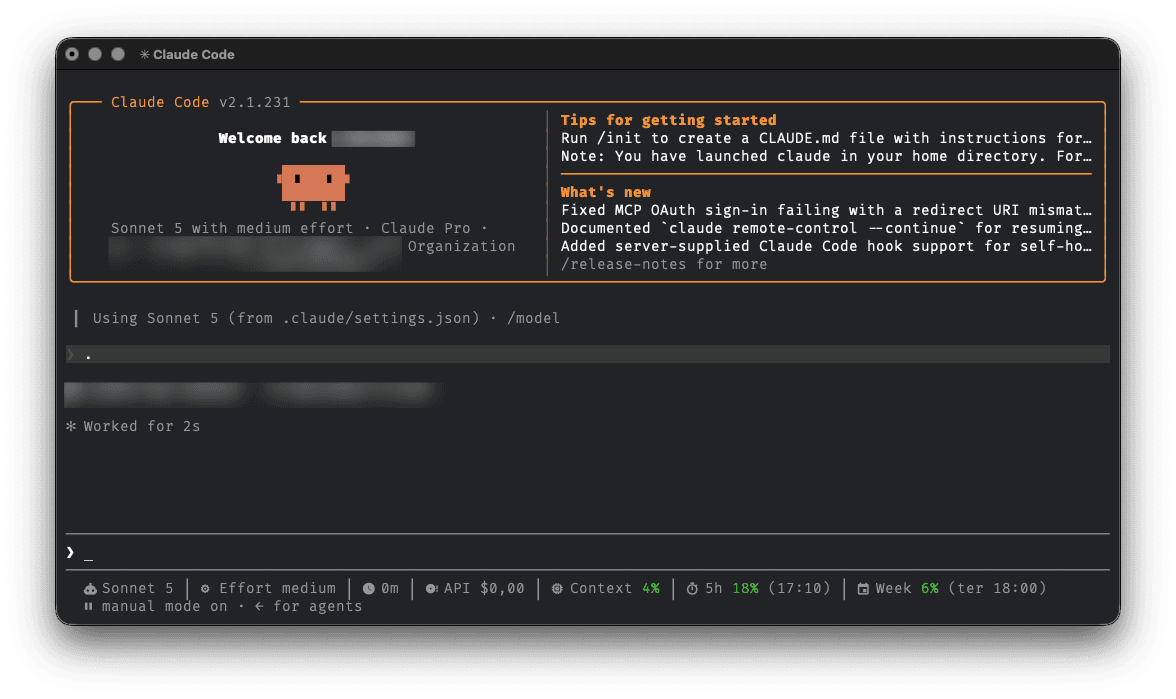
Claude Statusline Dashboard is a lightweight and customizable terminal dashboard built around Claude Code's /statusline functionality. It provides real-time visibility into the current model, session activity, context usage and Claude usage limits directly inside the terminal.
01
Context
Claude Statusline Dashboard was created to provide a clearer view of Claude Code session activity directly inside the terminal, without requiring external dashboards or monitoring tools.
It transforms Claude Code's /statusline output into a compact dashboard focused on the information that matters during development sessions.
02
What it displays
- • Current Claude model
- • Effort level
- • Session duration
- • API-equivalent session cost
- • Context window usage
- • 5-hour usage limit
- • 5-hour reset time
- • Weekly usage limit
- • Weekly reset time
- • Color-coded usage percentages
- • Nerd Font icons
03
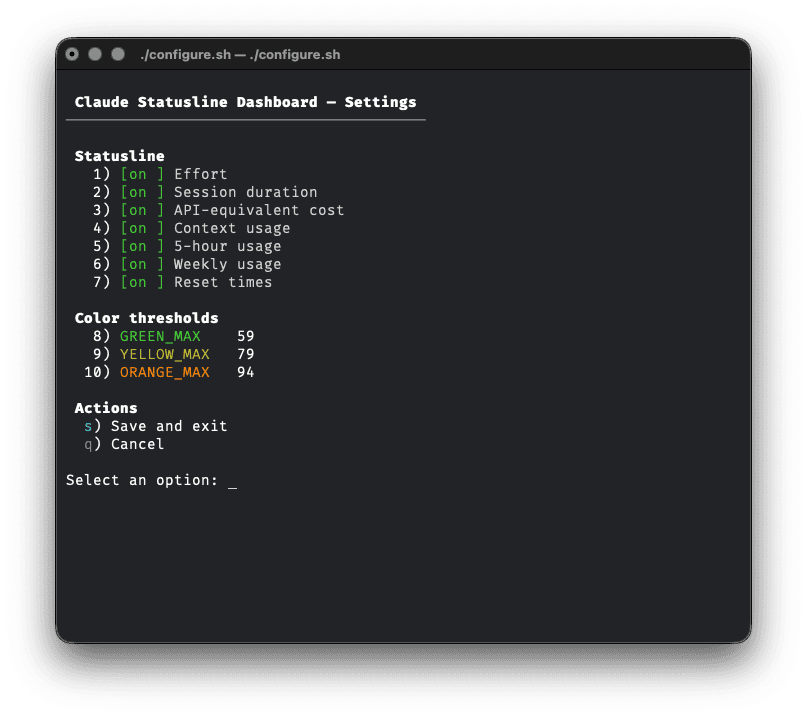
Configuration panel
The project includes an interactive terminal configuration panel implemented in pure Bash. It allows users to:
- • enable or disable individual metrics
- • configure usage color thresholds
- • save configuration without manually editing configuration files
04
Technical direction
The project is intentionally lightweight and uses:
- • Bash
- • jq
- • Claude Code /statusline
- • ANSI terminal colors
- • Nerd Fonts
- • Git / GitHub
Claude Code sends its statusline JSON payload through stdin. The script parses the required information using jq and renders the dashboard directly in the terminal. Configuration is stored separately in config/default.conf.
The interactive configuration panel is implemented in pure Bash without a heavy TUI framework.
Type
CLI tool
Use case
Claude Code session monitoring
Users
Claude Code users
Role
Solo development
Status
Stable, v1.0.0
Focus
Usage monitoring, terminal UX and configuration